Last updated: October 2026
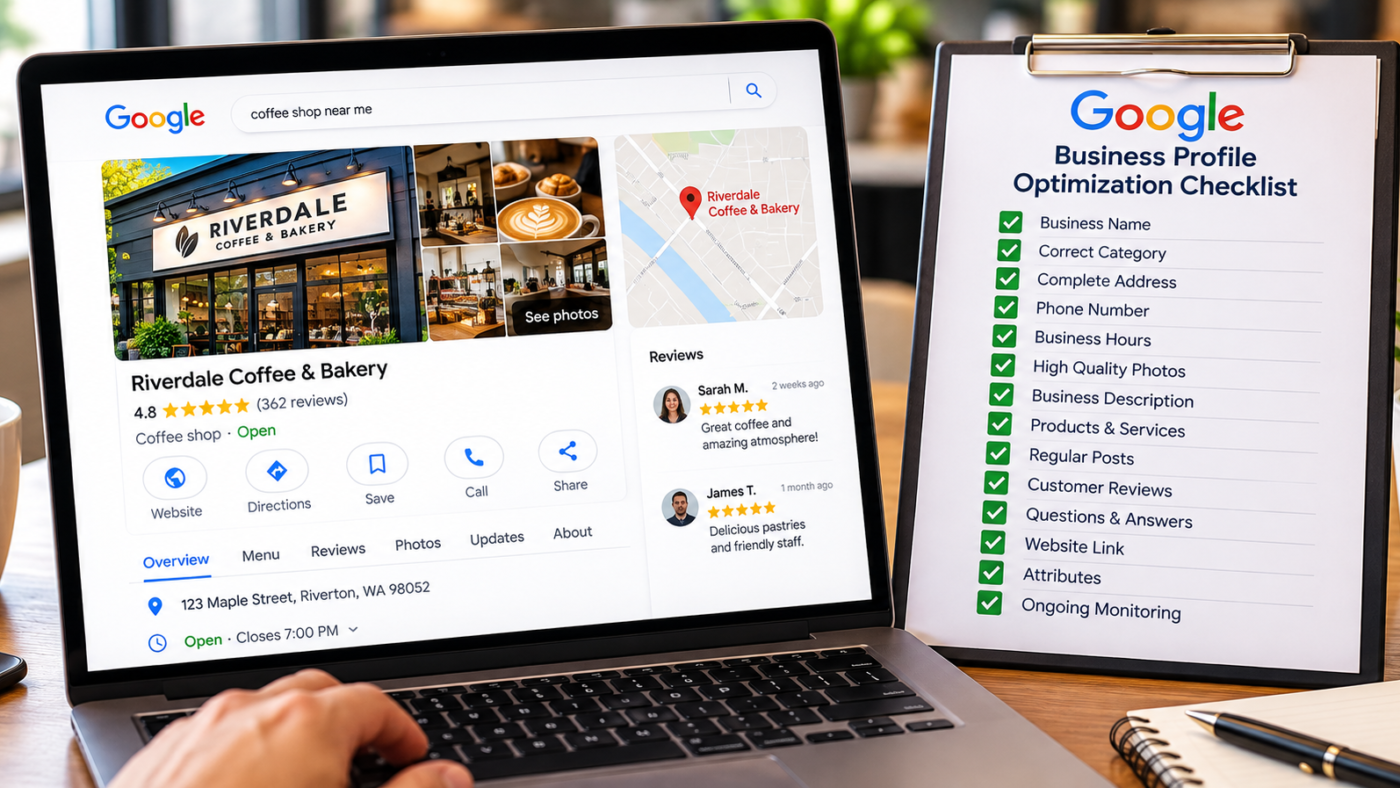
Google Business Profile optimization means making your profile complete, accurate and active. The steps that matter most are choosing the right primary category, using your real business name with no added keywords, filling in every service and attribute, adding real photos, posting regularly, getting steady reviews and replying to them, and making sure your website and directory listings match the profile exactly. Most profiles I audit are missing at least five of the 20 steps below. Want yours checked? Message me on WhatsApp.
Your Google Business Profile is often the first thing a customer sees. Before your website, before your ads, before they call. And more and more, it is the source Google’s AI uses to describe your business.
Yet most profiles are set up once and forgotten. The category was picked in a hurry, half the services are missing, and the last photo was uploaded three years ago.
This checklist covers everything I review when I audit a profile for a US client. Work through it in order. The first section has the biggest impact.
Before you start: how Google ranks local profiles
Google uses three main factors to decide which businesses to show for a local search: relevance, distance and prominence. Relevance is how well your profile matches what someone searched for. Distance is how far your business is from the searcher or the area they named. Prominence is how well known and trusted your business is, based on reviews, links, mentions and activity.
You cannot change your distance from a customer. Optimization is about the other two: making your profile as relevant as possible for the services you offer, and building the prominence signals that make Google trust you over a competitor down the street. Every step below feeds one or both.
Before changing anything, take screenshots of your current profile and note where you rank for your three most important searches. That gives you a baseline, so you can see what each change actually did.
Section 1: The foundations
These five settings carry the most ranking weight. Get them wrong and nothing else fully works.
-
Biggest impact
Choose the right primary category
Pick the category that describes your core business, not every service you offer. Search your main keyword in your city and check what primary category the top three competitors use. A dentist should usually be “Dentist”, not “Cosmetic dentist”, unless cosmetic work is truly the main business.
-
Add relevant secondary categories
Add the categories that match real services you offer, and stop there. Every extra category should describe something customers actually come to you for.
-
Use your real business name
Your profile name should match your signage, website and legal registration. Adding keywords or a city, like “Smith Roofing Dallas Best Roofer”, breaks Google’s rules and is one of the most common causes of suspension.
-
Set your address correctly
Show your address only if customers visit you there. If you travel to customers, hide it and set service areas instead. The service area business guide explains the rules.
-
Use a local phone number
A local area code number that rings at your business works best. Make sure it is the same number on your website and directory listings.
Section 2: Complete every field
Google cannot show what you do not tell it. Completeness is also one of the strongest signals AI tools look for when they recommend local businesses.
-
Write a clear business description
You have up to 750 characters. Say what you do, who you serve, where you work and what makes you different, in plain language. Do not paste a keyword list, add links, or mention promotions.
-
Add every service
Use Google’s suggested services for your category, then add custom ones with short descriptions. If you do it and want customers to find you for it, list it.
-
Add products where they fit
Even service businesses can list packages or popular jobs as products, with a photo and a starting price.
-
Fill in all attributes
Wheelchair access, payment options, appointment required, women owned, veteran owned, languages spoken. Attributes help you appear for filtered searches and answer customer questions before they ask.
-
Set accurate hours, including holidays
Wrong hours lead to angry reviews. Add special hours for Thanksgiving, Christmas, July 4 and other holidays every year.
-
Add your website and booking links
Link to the most relevant page, usually your homepage or a location page. Add a UTM tag so you can track profile traffic in Google Analytics. Add your appointment or booking link if you have one.
Section 3: Photos and posts
-
Upload a logo and cover photo
Use a clean, square logo and a cover photo that shows your storefront, team or work.
-
Add real photos regularly
Exterior shots so people recognize the building, interior shots, your team, and before and after photos of real jobs. Real photos outperform stock images every time.
-
Post at least every two weeks
Share offers, seasonal tips, recent projects and events. Posts keep the profile active and give Google more content to understand your services.
Section 4: Reviews and engagement
-
Build a steady review routine
Ask every customer, at the right moment, with a direct link. The Google reviews guide has templates and the FTC rules to follow.
-
Reply to every review
Thank people by name, mention the service, and handle complaints calmly. Replies show customers that a real person runs the business.
-
Answer the questions customers ask most
Google has replaced the old Q&A section with AI generated answers that draw on your profile and website (Insites). Make sure the answers to common questions, like pricing, parking and timing, appear in your description, services and website FAQ.
Section 5: Outside the profile
-
Make your website match
Show the same name, address and phone number on your website. Add a page for each main service and, for service area businesses, real city pages with unique content. Add LocalBusiness schema.
-
Clean up your citations
Check Yelp, Bing Places, Apple Business Connect, Facebook, BBB, Angi and industry directories. Every listing should match your profile exactly, including suite number formatting.
-
Monitor for unwanted edits
Anyone can suggest edits to your profile, and Google sometimes accepts them. Check your profile every week and reject changes to your category, hours, phone or website that you did not make.
Want this checklist done for you?
Send your business name, city and state. I will audit your profile against all 20 steps, compare it with your three closest competitors, and send you a prioritized fix list. Free, within a day.
- Name Hemant Chaudhary, GMB Expert USA
- WhatsApp +91 76968 87890
- Email contact@gmbexpertusa.com
- Hours Monday to Saturday, overlapping US business hours
- Pricing From $200 a month, no contract
What to skip
Some popular tactics waste time or put your profile at risk.
- Keyword stuffing the business name. It can work briefly, then lead to suspension.
- Fake addresses or virtual offices. Google does not allow them, and they are a common suspension trigger.
- Buying reviews. Google filters them and the FTC can fine businesses for fake reviews.
- Geotagging photos. Google strips the location data on upload, so it does nothing for ranking.
- Posting the same text daily. Quality and relevance matter more than frequency.
- Changing your category every few weeks. Frequent major edits can trigger reverification.
Your monthly maintenance routine
| Task | How often | Time needed |
|---|---|---|
| Check for unwanted edits | Weekly | 5 minutes |
| Reply to new reviews | Within 48 hours | 10 minutes a week |
| Publish a post | Every 1 to 2 weeks | 15 minutes |
| Upload new photos | Monthly | 10 minutes |
| Review performance data | Monthly | 15 minutes |
| Update holiday hours | Before each holiday | 5 minutes |
Frequently asked questions
What is the most important Google Business Profile ranking factor?
Your primary category has the biggest single impact on which searches you appear for. After that, proximity, review strength and profile completeness carry the most weight.
How long does it take to see results from optimization?
Fixes like the primary category can show changes within a few weeks. Review growth and website improvements usually take two to six months, depending on competition in your city.
How many categories should I choose?
One primary category and as many secondary categories as truly match your services. More is not better if they do not describe real work you do.
Should I put keywords in my Google Business Profile description?
Write naturally about your services and service areas. Keywords will appear on their own. The description has limited ranking impact, but it helps customers and AI tools understand your business.
Do Google Business Profile posts help ranking?
Posts mainly help engagement and keep the profile active. Their direct ranking effect is small, but they give customers and Google more information about what you offer.
Is Google Business Profile free?
Yes. Creating and managing a profile is free. Google does not charge for listing, verification or ranking. Be careful of anyone calling to say otherwise.
Final word
Optimization is not one task. It is a complete setup followed by a simple routine. Get the foundations right this week, fill in every field this month, and keep the reviews, photos and posts coming after that. The businesses that do this consistently are the ones that stay in the map pack.
For the bigger ranking picture, read the map pack ranking guide. If you want help, Hemant Chaudhary offers a free audit. Send a WhatsApp message or email contact@gmbexpertusa.com.
Rankings depend on competition, location and many factors outside anyone’s control, and no one can guarantee a specific position. GMB Expert USA is run remotely by Hemant Chaudhary and works with US businesses across all time zones. Google, Google Business Profile and Google Maps are trademarks of Google LLC. GMB Expert USA is an independent service provider and is not affiliated with or endorsed by Google.